Use Case#
This will take you though a use case of working with raw image data in TIFF format as well as post processed data using Caiman ROI extraction software.
Download a TIF file and a extract pipeline output .mat file from here.
Create an Imaging Extractor Object:#
from notebook.services.config import ConfigManager
cm = ConfigManager().update('notebook', {'limit_output': 1000})
import roiextractors
import matplotlib.pyplot as plt
%matplotlib inline
import numpy as np
img_ext = roiextractors.TiffImagingExtractor(r'source\demoMovie.tif' sampling_frequency=100)
img_ext.get_series(start_sample=10, end_sample=11)
Output:
array([[[1050,  676,  652, ..., 1523, 1406, 1627],
        [ 898,  908,  864, ...,  990, 1016, 1058],
        [ 899,  875,  827, ..., 1100, 1122, 1147],
        ...,
        [ 664,  957, 1040, ...,  833,  828, 1075],
        [ 893,  899,  858, ...,  807,  899,  981],
        [ 691,  653,  812, ...,  708,  715,  779]]], dtype=uint16)
img_ext.get_frame_shape()
Output:
(60, 80)
img_ext.get_num_samples()
Output:
2000
img_ext.get_sampling_frequency()
Output:
100.0
img_ext.get_num_channels()
Output:
1
vid_fra = img_ext.get_video(start_frame=0,end_frame=1)
plt.imshow(vid_fra)
plt.show()
Output:

Create a SegmentationExtractor Object#
seg_ext = roiextractors.CaimanSegmentationExtractor(r'source\caiman.hdf5')
# will output a list of ids of all accepted rois
seg_ext.get_accepted_list()
Output:
[0,1,2,....71]
seg_ext.get_num_samples()
Output:
1000
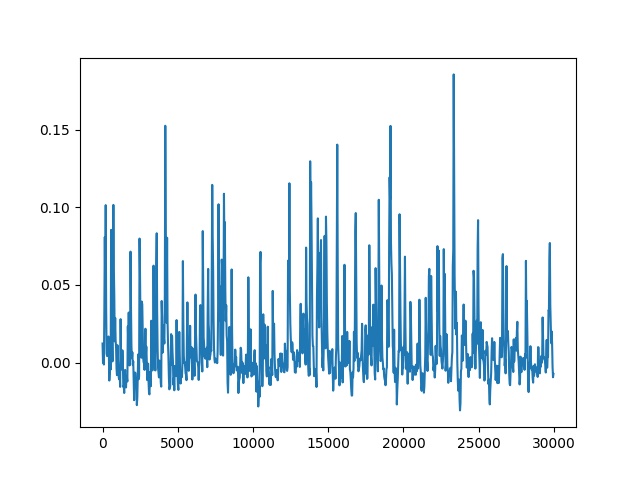
plt.plot(seg_ext.get_sampling_frequency()*np.arange(seg_ext.get_num_samples()),seg_ext.get_traces(roi_ids=[2], name='dff').squeeze())
plt.show()
Output:
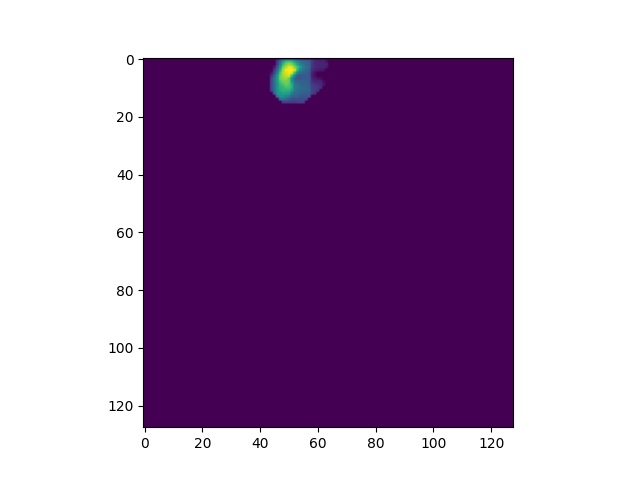
plt.imshow(seg_ext.get_roi_image_masks(roi_ids=[5]).squeeze())
plt.show()
Output:
seg_ext.get_frame_shape()
Output:
(128, 128)
seg_ext.get_num_rois()
Output:
72